
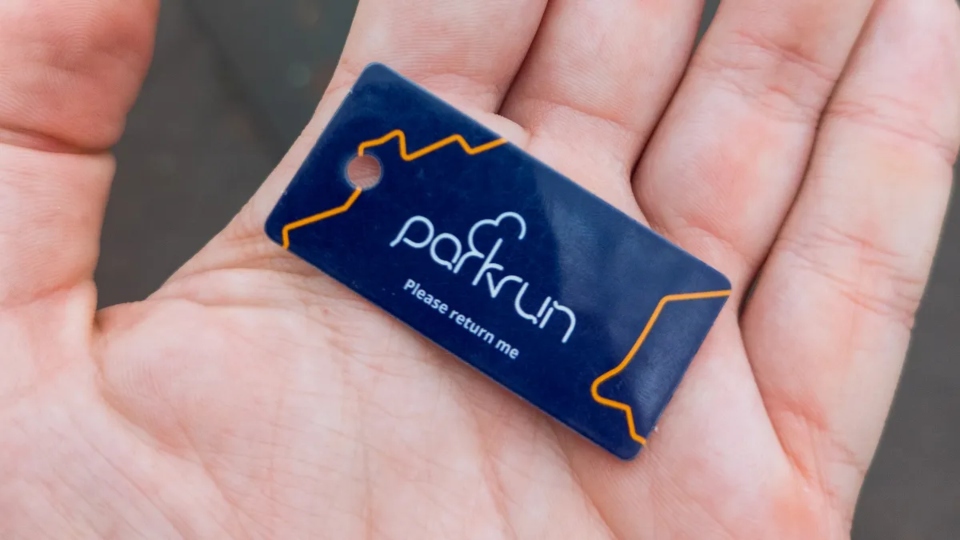
Your first parkrun is designed to be as simple as possible: turn up, run, walk, or jog 5k, and soak up the welcoming atmosphere. But, for many first-timers, one small detail can cause some confusion: your parkrun barcode.
So, what is a parkrun barcode, and why is it so important? Your barcode is your unique ID that allows parkrun to pair your finish time to your profile and record your results. Without it, you can still take part, but your time won’t show up in the official results.
This guide aims to explain everything you need to know about the parkrun barcode system, including what the barcode does, why you need one, how to get yours, and what happens if you forget it on the day.
What Is A Parkrun Barcode?
A parkrun barcode is your personal identification code that allows parkrun to recognise you and record your results after you complete an event. When you register for parkrun, you’re given a unique barcode that is linked to your personal profile. This barcode is the same every time you take part, no matter which event or location you wind up at.
The main job of the barcode is to connect your finishing time with your name and parkrun profile. After you finish, volunteers will scan your personal barcode alongside your finish token, allowing the system to match your time to your account.
It is worth knowing the difference between the different codes involved in parkrun. Your parkrun barcode is your personal ID and belongs to you. Your registration number is the unique number associated with your parkrun account, which is used behind the scenes to identify your profile. Your finish token is the position token you’re handed after crossing the finish line – this tells parkrun where you finished in the particular event.
In simple terms, your barcode tells parkrun who you are, while your finish token tells parkrun where you finished. The two are scanned together so your result can be recorded accurately.

Why Do You Need A Barcode For Parkrun?
Your parkrun barcode is what allows your result to be recorded after you finish each event. While parkrun is totally open to everyone and you don’t need a barcode to take part, bringing one with you means your finish time can be linked to your personal profile and shows up in official events.
Do you need a barcode to do parkrun?
No, you’re absolutely free to take part in parkrun without a barcode – but you need one if you’re looking for your time to be officially recorded.
The reason you see volunteers scanning barcodes at the end of the finish funnel is to connect everyone’s finishing position with their identity. After you cross the finish line, you receive a finishing token showing where you finished in that event. (I like to save the surprise for when the results come out later in the day).
A volunteer scans both your personal barcode and then your finish token (“face then race”, if you’re looking for a way of remembering the order), showing where you finished. Scanning both the barcode and token means the parkrun system is able to pair your time to your account.
Without your barcode, volunteers have no way of knowing which participant the finish token belongs to. You can still run, walk, or jog, but your result will usually not be added to your parkrun profile.
This simple scanning system is what allows millions of parkrun participants to track their progress, celebrate milestones, and see their results after each event. Once you understand how it works, bringing your barcode becomes just another part of your parkrun routine – like remembering your favourite running shoes or lucky sweatband.
How Does The Parkrun Barcode System Work?
The parkrun barcode system is designed to make recording results quick and simple. Although the process may seem confusing before your first event, it’s just a couple of easy steps. Your personal barcode identifies you, while your finish token records your position at that particular event. Together, they allow the system to create your official result.
1. Register Before Your First Parkrun
Before you take part, you need to register for parkrun and create your personal profile. Once registered, you receive your unique parkrun barcode, which you can print out or save in a suitable digital format such as a screenshot. Your parkrun barcode is also always available on the official parkrun app.
You only need to register once, and the same barcode is used each time you attend a parkrun event.
2. Bring Your Barcode With You
On the day of your parkrun, be sure to remember your barcode. Some people have a trusty hard copy with them; others use screenshots on their phone, but I’m a fan of just using my parkrun app.
Your barcode is tied to your account, so you don’t ever need a new one.
3. Complete Your Run, Walk, or Jog
Once the event is underway, take part at your own pace. Parkrun is open to anyone and everyone, whether you choose to run, jog, or walk the course. Your time begins when you cross the start line and ends when you cross the finish.
4. Receive Your Finish Token
After crossing the finish line, a volunteer will give you a finish token. This token shows your finishing position for that specific event. It is important to keep hold of it until you reach the scanning area, as it is needed to match your result with your personal barcode.
5. Scan Your Barcode and Finish Token
At the scanning area, volunteers will scan your personal parkrun barcode and your finish token (face, then race!) These two pieces of information work together: your barcode tells the system who you are, while your finish token tells it where you finished. The details are then used to calculate your official result.
6. Receive Your Parkrun Results
After the event, your result will be processed and added to your parkrun profile. You can then view your finishing time, position, and other details from your event. Your results history allows you to track your progress, celebrate milestones, and see your participation record grow over time.
Once you understand these steps, the parkrun barcode process becomes just another part of the parkrun routine. All you need to remember is: have your barcode on you, collect your finish token, and get both scanned before you head off home.
Check Out Our Guide To Parkrun Rules And Results
How Do You Get A Parkrun Barcode?
Getting a parkrun barcode is easy and absolutely free. Before you rock up to your first event, you need to register with parkrun and create a personal profile. Once you have completed the registration process, you will receive your own unique barcode, which is linked to your account.
You only need to register once – your barcode doesn’t change, and you can use the same one at any parkrun event you visit. Whether you attend your local event each week or become a seasoned parkrun tourist, your barcode will always connect your results to your personal profile.
After registering, you can access your barcode through your parkrun profile (available on the app). Alternatively, you can print out your barcode and have it on your running gear, or keep a digital copy on your phone. It’s good practice to have your barcode ready before you arrive at the event so you don’t need to stress about finding it in the finish funnel.
Do You Need to Print Your Parkrun Barcode?
Nope, you don’t have to print out your parkrun barcode. Most people prefer having a digital copy because it’s easier to pull up on your phone. But if you’ve got room in your pockets or running belt, having a physical copy of your barcode works just fine too!
Whatever option you go with, the important thing is making sure your barcode is accessible and easily scanned when you finish your parkrun.
What Happens If You Forget Your Parkrun Barcode?
Forgetting your parkrun barcode is a stress you don’t need first thing on a Saturday morning, especially if it’s your first time; thankfully, it doesn’t mean you can’t take part. Parkrun is open to everyone, and you can still run, walk, or jog the course, even if you don’t have a barcode.
If you forget your barcode, just let the volunteers know. They will be able to explain what happens at your local event and ensure you know the process. However, without your personal barcode, your finishing time usually can’t be linked to your parkrun profile, which means you may miss out on an official time.
While missing a result can be disappointing, it shouldn’t stop you from enjoying the experience. Many first-time parkrunners forget something on their first visit, and the most important thing is always getting involved.
To avoid forgetting your barcode in future, try keeping a copy somewhere you’ll always have it. Some runners:
- Keep a spare printed barcode in their running shoes or kit bag
- Save a digital copy on their phone
- Store a spare printed version at home or in their car
- Use a barcode wristband or card
Once you’ve got a few parkrun events under your belt, bringing your barcode becomes just another part of the morning routine. Remembering it means you can enjoy the full parkrun experience and keep track of your progress over time.
Check Out Our Complete Guide To What Is Parkrun
Common Parkrun Barcode Questions
If you are new to parkrun, you may have a few questions about how the barcode system works. Here are some of the most common things beginners want to know before they attend their first event.
Can You do Parkrun Without a Barcode?
Absolutely, you can still take part in a parkrun without a barcode. You can run, walk, or jog the whole course like everyone else, but your time won’t be recorded as an official result. Your barcode is what links your finish time to your personal profile, so bringing it with you allows you to track your progress and build your parkun history.
Can You Use Your Phone Barcode at Parkrun?
Most parkrunners use a digital version of their barcode on their phone, either through a screenshot or on the official parkrun app. Keeping a printed backup can be handy, especially if your phone battery runs out or the barcode is tricky to scan.
Does a Parkrun Barcode Expire?
Nope. Your parkrun barcode does not expire. Once you register, your barcode remains linked to your personal profile and can be used every time you take part in a parkun event. You don’t need to create a new barcode or register again unless your account details need updating.
Can You Use the Same Barcode at Different Events?
Yes, your parkrun barcode can be used at any event you rock up at. Your barcode is unique to you, not a specific location, so you can use it whether you’re visiting your local parkrun or taking part somewhere new. Your results will always be connected to your personal profile.
What if Your Barcode Won’t Scan?
If your barcode doesn’t scan, don’t panic. Let a volunteer know, and they’ll be able to help; normally, they’ll be able to manually make a note of your account number and time and give you an official result that way.
Common issues here include a damaged printed barcode, a poor-quality image, or difficulty scanning a phone screen. Reprinting your barcode or keeping a clearer copy can help stop some of these problems at future events.
Wrap Up
Your parkrun barcode is a small but vital part of taking part in your local event. Once you understand how it works, the process is simple: register once, bring your barcode, collect your finish token, and get both scanned at the end.
While forgetting your barcode will not stop you from participating, having it with you means you can receive your official result and track progress. Whether you are running, walking, or jogging, your first parkrun is all about enjoying the experience and becoming a part of the community.

Loves Parkrun. Hates running uphill. After investing in his first pair of proper running shoes, James was inspired to found What We Running in 2026 with the aim of sharing his favourite tips, tricks, and motivational hacks needed to sustain a running journey.